
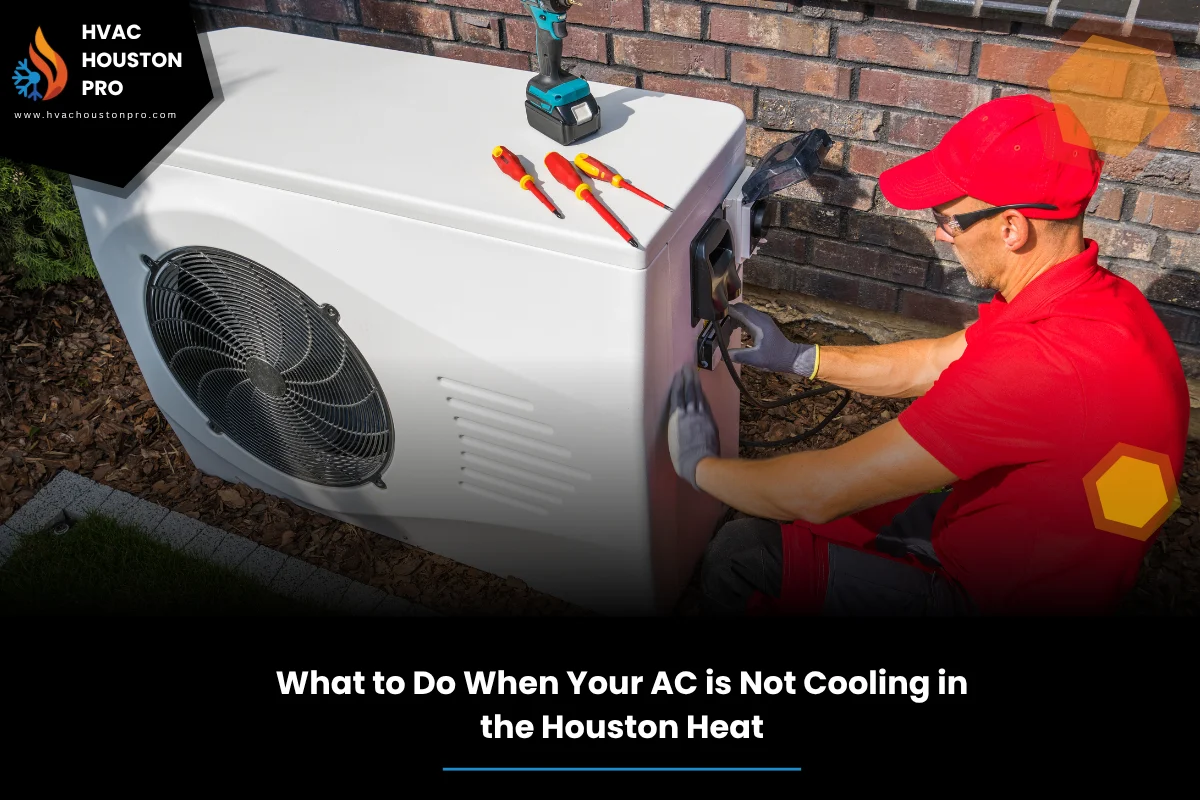
Hot night, sticky air, and the vents push nothing but warm breeze. If you searched AC not cooling Houston, you’re in the right place. This guide helps you find quick fixes, know what to skip, and decide when to call for help. We’ll keep it simple and safe so you don’t make a small issue worse.
HVAC Houston Pro works on heating, cooling, plumbing, electrical, generators, and air quality in homes and small shops. When something acts up, we check it, explain what’s happening, and fix it the right way. No fluff. In this article, we’ll show the exact steps to try, what the signs mean, and how to keep your system steady when the Houston heat hangs on for weeks.
You’ll see why an AC starts blowing warm air, how filters and coils play a role, and when frost on the lines is a warning sign. We’ll compare DIY steps against pro help, and tie it back to bigger repair topics you might see in a complete AC repair guide for Houston summers.
Table of Contents
Quick Summary
Start with basics: confirm power, then set the thermostat to cool and auto. Check the breaker and the outdoor unit fan. Replace or clean the air filter if it looks gray or clogged. Look for ice on the indoor coil or refrigerant line. Rinse the outdoor coil with a gentle spray.
If air is weak or warm, switch the system off for an hour to thaw ice, then test again. Avoid scraping ice or opening panels. If you smell burning or hear loud grinding, shut it down and call for help. For many homes and apartments, a clean filter and clear coil fix poor cooling fast.
Still warm after these checks? Note the symptoms, how long they’ve lasted, and any error codes on the thermostat. This helps a tech move quicker. Keep reading for a simple 10-minute framework and a comparison table so you can judge urgency without guesswork.
Warm air signs and what they mean
Warm air from the vents often points to airflow trouble or a control issue. If your system is AC blowing warm air, check the thermostat mode, fan setting, and filter first. Warm air plus weak airflow hints at a clog, frozen coil, or a fan problem. Warm air with normal flow may signal a refrigerant or compressor issue.
For a deeper dive into parts, sensors, and common fixes, see The Complete Guide to AC Repair Houston TX for Reliable Summer Cooling. It connects the quick wins here to the bigger repair picture, including seasons, system age, and maintenance timing.
Also listen for clues. A steady outdoor fan but no cool air indoors might mean a frozen coil. A loud click with no start can be a capacitor. Burning smell or smoke is never normal. Turn it off and call right away.
A 10-minute home check framework
Use this quick framework to find issues fast and keep the system safe. This is about checks, not deep repairs, and it protects the system from damage during heat waves.
- Thermostat: set Cool, 72 to 75, and Fan to Auto. Confirm the time and schedule are correct.
- Power: verify the indoor unit switch and breaker are on. Reset once only if tripped.
- Filter: pull it out and look at the light. If you cannot see light through it, replace it.
- Vents: open supply and return vents. Clear furniture, rugs, or curtains blocking airflow.
- Outdoor unit: remove leaves and trash within 2 to 3 feet. Rinse coil gently from inside out if safe.
- Ice check: look for frost on the copper line or coil door. If you see ice, turn system Off and set Fan to On for 60 minutes.
- Condensate: if there’s a drain safety switch, make sure the pan is not full.
- Retest: after the thaw or cleanup, run cooling for 10 minutes and feel the air again.
If you want more detail on part names and deeper troubleshooting, you can also review the complete guide on this topic to connect these steps with long-term fixes and seasonal care.
During these checks, use safe shutdown if you see ice, smell burning, or hear harsh grinding. That choice can save a compressor.
Thermostat and power basics
Wrong settings cause a lot of no-cool calls. Make sure Cool and Auto are selected, schedules are not set to heat, and there are fresh batteries if needed. Smart thermostats can lock modes after updates, so confirm the app settings as well.
Next, check the breaker. A trip can leave the indoor fan running while the outdoor unit stays off. Reset the breaker once only. If it trips again, leave it off and call for help. This avoids damage to wiring or parts tied to thermostat settings.
Also look for a service switch near the furnace or air handler. Kids, storage, or a recent filter change can flip it by accident.
Filters and airflow
A clogged filter chokes airflow and makes the system strain. That strain turns into warm air, long run times, or a frozen coil. Replace basic filters every 1 to 3 months in Houston’s heavy use. Pets, smoke, or construction dust shorten that window.
According to the U.S. Department of Energy (n.d.), routine filter changes and coil cleaning improve cooling performance and cut energy waste during peak seasons.Maintaining Your Air Conditioner
Pick the right filter type for your system’s blower. A very restrictive filter can hurt airflow too. If the return is noisy or vents feel weak, remove the filter briefly to test. If airflow jumps, the filter was the issue. That quick test protects your system by prioritizing airflow balance.
Ice on lines or coil
Ice on the copper line or the indoor coil door means poor airflow or a refrigerant problem. Turn the system Off and set the fan to On for an hour to thaw. Do not chip the ice. Frozen parts are fragile.
After thawing, try again with a new filter and clean outdoor coil. If ice returns, stop and call for service. Repeated freezing risks the compressor. In this case, the focus shifts from quick fixes to a likely frozen evaporator coil or charge issue that needs tools to confirm.
Keep notes: time to re-freeze, weather, and what you cleaned. That helps a tech zero in faster.
Outdoor unit and condenser care
The outdoor coil dumps heat from inside the home. Dirt blocks the fins and keeps heat trapped. Rinse coils with a garden hose on low pressure. Spray from the cleaner side toward the dirt side when possible.
If the fan runs but air stays warm, shut the power and check for packed fins or plastic bags sucked to the grill. Never bend fins or spray into the top motor. A careful rinse and clear space around the unit restore condenser coil cleaning benefits.
Also watch for oil stains near lines or rodent damage to wiring. Those are signs to pause and call for help.
When to get help in Houston
If you’ve handled power, settings, filter, and a light coil rinse but cooling is still weak, it’s time for a pro check. Signs like repeated breaker trips, ice returning fast, or a burnt smell all need a meter and gauges. That’s not DIY.
If your home or apartment is sweltering, and you need a prompt check without the sales talk, read about AC not cooling Houston so you know what work typically involves and what to expect on a visit.
Night or weekend breakdowns happen. Some teams offer emergency AC repair Houston and 24 hour AC repair Houston for safety or health risks. If the space is tolerable and filters were the issue, daytime is often fine. If there’s ice, burning smells, or elderly occupants, quicker help matters more than cost.
Explain your notes on symptoms, timing, and any steps you tried. That short briefing speeds up a professional diagnosis.
Maintenance tips for homes and apartments
For Residential Homes, check filters monthly in summer and keep a 2- to 3-foot clear zone around the outdoor unit. Trim shrubs and blow grass clippings away from the coil. Mark a calendar for spring and fall checks.
For Apartments, ask management how often central filters are changed and what you can do safely in your unit. Make sure supply and return grilles stay open. Kitchens and laundry doors can shift airflow.
A steady plan reduces surprise breakdowns, keeps air clean, and extends system life. Keep a simple log of filter dates and any service visits to anchor your preventive maintenance routine.
DIY vs urgency: what the signs suggest
| Symptom | Likely cause | DIY check | Service urgency |
|---|---|---|---|
| Warm air, strong flow | Outdoor coil dirty, low charge | Rinse coil, verify settings | Within 24 to 48 hours |
| Warm air, weak flow | Clogged filter, iced coil | Replace filter, thaw coil | Same day if ice returns |
| Breaker trips | Electrical or motor fault | Single reset only | Immediate if repeat |
| Grinding or burning smell | Motor or wiring issue | Power off | Immediate |
| Unit runs nonstop | Airflow loss or low capacity | Filter, vents, coil rinse | Soon, within 24 hours |
Use this table to set service urgency and avoid damage. If in doubt, shut it down, note the symptoms, and get a pro to verify.
FAQs
- Why is my AC blowing warm air after a storm?
Power flickers can change thermostat modes or trip breakers. Check the thermostat, replace batteries, and reset a tripped breaker once. If the outdoor unit stays off, call for service.
- Can a dirty filter cause ice on the coil?
Yes. A clogged filter reduces airflow and can freeze the coil. Replace the filter, thaw the system for an hour with fan On, then test cooling again.
- Is refrigerant always the problem when it’s not cooling?
No. Many no-cool issues are airflow or control related. Low refrigerant is possible, but a tech needs gauges to confirm. Avoid adding refrigerant without a test.
- What counts as emergency AC repair Houston?
Burning smells, smoking parts, repeat breaker trips, or unsafe indoor temps for infants or elderly. In those cases, shut the system off and seek urgent help.
- Do apartments handle AC filters for me?
It varies. Ask maintenance about schedules and what you can replace. Keep returns clear and report weak airflow early so small issues don’t grow.
- Is same day AC repair Houston always necessary?
Not always. If a new filter and coil rinse restore cooling, normal scheduling may be fine. If ice returns fast or breakers trip, same day help is wise.
- Who should I call if I need 24 hour AC repair Houston?
Look for licensed local teams that state 24-hour availability. Share your notes on symptoms and steps you tried so they can prepare the right parts.
Conclusion
If your air feels warm and heavy, start with the basics in this guide. Most issues come down to airflow, power, or control settings. When those don’t fix it, and you still face AC not cooling Houston conditions, it’s time for deeper testing. Protect the system by shutting it down if you see ice, smell burning, or hear harsh noises.
Keep your notes, stay safe, and don’t press a failing unit in peak heat. For more background on parts, seasonal upkeep, and repair paths, remember the broader ideas from the Houston-focused AC repair guide mentioned earlier. If you want clear help without the sales talk, Contact HVAC Houston Pro for expert assistance. We’ll check it, explain it, and make sure the fix holds in the Houston heat.
continue reading
Related Posts
Beat peak heat with clear steps for emergency AC maintenance Houston. Learn fast triage, when to call for help, and how to prevent repeat failures with simple habits.
Learn the signs your AC needs maintenance before Houston heat hits. Spot weak airflow, dirty AC coil symptoms, and clogged condensate drain line early to avoid breakdowns.